Check your artwork repeats seamlessly with Offset Filter in Photoshop.
When creating a repeating pattern for fabric printing, it’s important to check that your artwork joins seamlessly on every edge of the repeat tile. Even a very small gap, misaligned line or misplaced element can become much more noticeable once the design is repeated across metres of fabric.
Photoshop’s Offset filter is a quick and useful way to check your repeat before sending your artwork to print. It moves the outer edges of your repeat tile into the centre of the artwork, making the joins much easier to see and allowing you to spot any gaps, mismatched elements or visible repeat lines.
This is particularly helpful because problems along the edges of a repeat tile can be difficult to notice when looking at the original artwork. By using the Offset filter, you can check that the left and right edges connect correctly, as well as the top and bottom edges, and make any necessary adjustments before printing.
In this tutorial, we’ll show you how to use the Offset filter in Adobe Photoshop to check that your pattern is set up as a seamless repeat and ready for fabric printing.
- Open your file in Photoshop. Main menu > File > Open
- Check size of your image. Main menu > Image > Image size. Take note of the pixel dimension (PX) at the full resolution size.
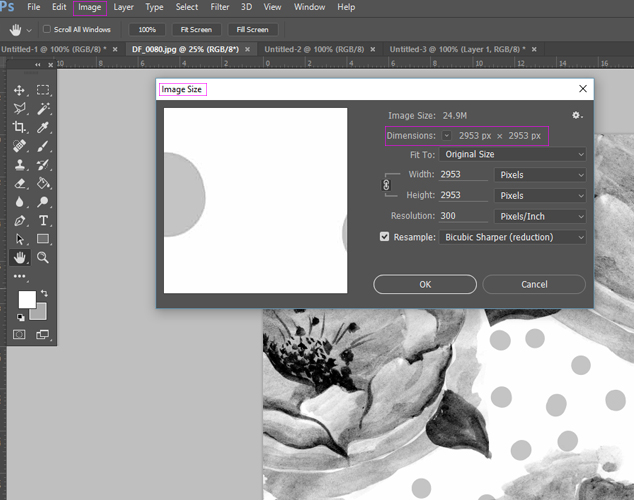
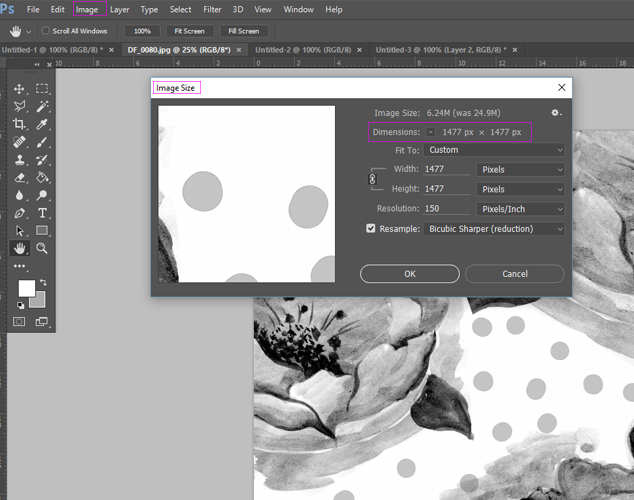
- Change the resolution to half of its value and take note of the changed pixel dimension. Keep these numbers handy as you will need them to offset your artwork. Don’t click OK at this stage, as you don’t want to change the resolution size, you only need the pixel information.
- Once you have pixel dimensions noted you can offset and check your file for seamless repeat. Go to Main menu > Filter > Other > Offset. In the open box enter that half pixel values that you have noted down. Select option Wrap Around and tick the Preview option, so you can preview what is happening to your artwork. The side edges of the artwork will now be visible in the middle and the middle will become the sides. In other words the artworks sides got folded into the middle.
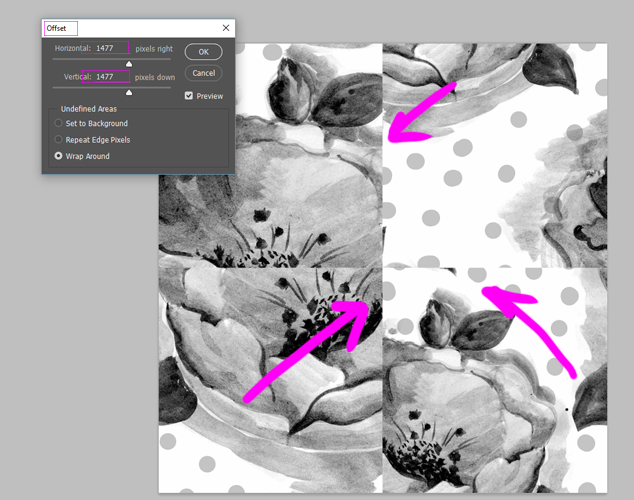
- If your artwork in not in seamless repeat, you will see it in the middle of your artwork, through vertically and horizontally missed joins and miss matched lines. In some artwork this will not be obvious and you will need to zoom right in to the joining pixels to spot the issue.
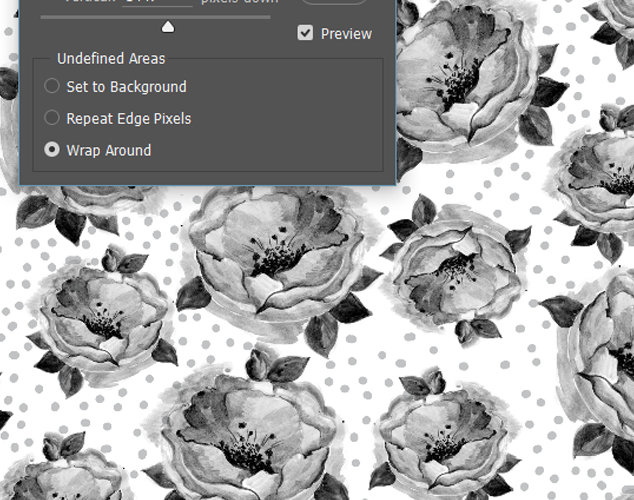
- When your artwork repeats seamlessly, there is no miss matched lines and elements of the artwork flows seamlessly.
________________________________________
If you are at the beginning of your textile and surface design journey you might want to consider our workshops and classes on offer or continue learning more online through our available tutorials.